Category: Documentation Strategy

Insights on documentation architecture, information systems, knowledge governance, content audits, workflows, and long-term documentation quality.

  • Product Documentation for Humans and AI

    Documentation Strategy

    Modern product documentation is no longer written for one reader. It must help a human complete a task, help a team maintain product knowledge, and help AI systems retrieve the right answer without distorting the product.

    That changes documentation from a writing deliverable into product infrastructure: versioned, searchable, measurable, and designed around real user decisions.

    By Daria BohdanovaSenior Technical Writing · Product Writing · Knowledge ArchitectureUpdated July 2026Approx. 1,500 words

    The Core Idea

    Documentation shapes how a product is understood, adopted, supported, trusted, and increasingly how it is interpreted by AI. The strongest documentation system does not choose between human readability and machine readability. It creates one governed source of truth from which both can reliably learn.

    Documentation Is Product Infrastructure

    A help center is often treated as the place where finished information goes. That is too late and too narrow. Documentation begins when product logic is defined: what the feature does, which states exist, what can fail, which permissions apply, and what the user should expect next.

    When that logic is unclear, documentation exposes the problem. A writer cannot create a stable explanation from unstable product decisions. At senior level, technical writing therefore includes discovery, requirement clarification, terminology governance, information architecture, review design, and release coordination.

    This is also why documentation affects more than support. It influences onboarding, implementation speed, feature adoption, developer experience, customer confidence, internal alignment, and the accuracy of AI-generated answers.

    01Product logic
    02Structured knowledge
    03User action
    04Support reduction
    05AI retrieval
    06Product trust

    Humans and AI Need Different Things From the Same Source

    A human usually arrives with a task, a deadline, and partial context. They need orientation, examples, prerequisites, recovery paths, and confidence that the instruction applies to their situation.

    An AI system works differently. It retrieves fragments, matches concepts, identifies entities, and composes an answer from available evidence. It benefits from stable terminology, explicit relationships, predictable headings, self-contained procedures, structured metadata, and content that does not depend on hidden context.

    The solution is not to maintain separate “human” and “AI” documentation. That creates drift. The better model is a single source with layered outputs.

    AI answers and assisted workflows
    Search, help center, and support surfaces
    Guides, tutorials, concepts, and reference
    Versioned source, examples, schemas, and terminology
    Product logic, user needs, business rules, and ownership
    AI-ready documentation is not “content for bots.” It is documentation with less ambiguity, stronger structure, and better governance.

    The Four Content Types Must Remain Distinct

    One of the most common documentation failures is mixing explanation, instruction, learning, and reference on the same page. The result may be technically complete but cognitively expensive.

    Content typeUser needTypical output
    Tutorial“Help me learn by doing.”A guided first success with controlled scope.
    How-to guide“Help me complete this task.”Goal-oriented steps with prerequisites and outcomes.
    Explanation“Help me understand why this works.”Concepts, trade-offs, architecture, and mental models.
    Reference“Give me the exact facts.”Parameters, schemas, constraints, errors, and defaults.

    Microsoft’s reference-documentation guidance emphasizes consistency, predictable structure, and related links because developers need to locate exact information quickly. GitHub’s documentation guidance similarly starts with user goals, readability, and scannability. These are not stylistic preferences; they are retrieval design.

    API Documentation Is the Clearest Human–Machine Bridge

    The OpenAPI Specification describes an interface in a form that both people and computers can understand. That dual function is the future of documentation more broadly.

    A strong API documentation system usually combines a machine-readable contract with human explanation. The specification defines operations, parameters, request bodies, responses, and schemas. The authored layer explains authentication, workflows, edge cases, error recovery, domain language, and realistic examples.

    Neither layer is sufficient alone. Generated reference without context forces developers to reverse-engineer intent. Narrative guides without a reliable contract become outdated and difficult to test.

    • OpenAPI or AsyncAPI: establishes a formal interface contract.
    • Examples: show valid requests, realistic responses, and failure states.
    • Task guides: connect multiple endpoints to a user outcome.
    • Change history: explains what changed, who is affected, and what action is required.
    • Validation: checks links, schemas, examples, terminology, and build output before publication.

    What Senior-Level Documentation Work Actually Includes

    I do not begin by asking, “What page should I write?” I begin by identifying the knowledge problem.

    Is the feature itself underdefined? Are product and engineering using different terms? Are support tickets revealing a missing workflow? Does the API contract conflict with the interface? Is the release process publishing documentation after customers already encounter the change?

    That investigation determines the deliverable. The answer may be an API guide, a concept page, an onboarding flow, a migration plan, a knowledge-base restructure, a release-note system, or a terminology decision that prevents ten future pages from contradicting one another.

    01

    Discovery

    SME interviews, ticket analysis, product review, competitor research, and gap mapping.

    02

    Architecture

    Audience models, content types, navigation, taxonomy, reuse, and ownership.

    03

    Production

    Clear procedures, reference content, examples, diagrams, and product language.

    04

    Governance

    Reviews, version control, release gates, analytics, maintenance, and deprecation.

    The Toolchain Depends on the Knowledge Model

    Tools matter, but they should follow the documentation strategy rather than define it. I select them according to product complexity, review workflow, audience, reuse needs, and publishing environment.

    Git + MarkdownDocs-as-code

    Versioned changes, pull-request review, issue links, automation, and proximity to engineering work.

    OpenAPI / SwaggerAPI contracts

    Machine-readable definitions, generated reference, validation, testing, and interactive exploration.

    MadCap FlareEnterprise publishing

    Single sourcing, conditional content, variables, reuse, and multi-format output.

    Confluence / NotionCollaborative knowledge

    Fast SME contribution, internal documentation, decision records, and operational knowledge.

    Jira + release workflowOperational alignment

    Documentation requirements, ownership, status, dependencies, and release readiness.

    Figma + MiroProduct collaboration

    Interface context, user flows, terminology review, architecture mapping, and early content design.

    AI tools can support source comparison, gap detection, draft transformation, and question generation. They do not replace source verification, product judgment, or accountable review. The writer still owns the explanation.

    The ScriptWise Human + AI Documentation Framework

    01

    Model the product

    Define users, tasks, states, permissions, terminology, risks, and business rules before structuring pages.

    02

    Design the knowledge architecture

    Separate tutorials, tasks, concepts, and reference; define navigation, taxonomy, and reusable components.

    03

    Create source-grounded content

    Use approved requirements, tested workflows, schemas, SME review, and realistic examples.

    04

    Optimize for retrieval

    Write descriptive headings, direct answers, explicit prerequisites, stable terminology, and self-contained sections.

    05

    Publish through controlled workflows

    Connect documentation to version control, product releases, automated checks, ownership, and deprecation rules.

    06

    Measure behavior, not page count

    Review search failures, support deflection, task success, feedback, stale content, adoption, and AI-answer accuracy.

    What Makes Documentation Easier for AI to Use

    Claude’s citation system and web-search tooling illustrate an important principle: AI answers are stronger when the underlying sources are retrievable and attributable. Google likewise states that its AI search features use the same core technical requirements as Search.

    For documentation teams, that translates into practical work:

    • Keep important content crawlable and avoid hiding the only answer inside images or scripts.
    • Use one term for one concept and document accepted aliases.
    • State prerequisites, scope, version, and audience explicitly.
    • Keep procedures modular enough to retrieve without losing essential context.
    • Use accurate headings, cross-links, metadata, and structured API descriptions.
    • Publish ownership and update dates where freshness affects correctness.
    • Separate confirmed behavior from roadmap promises or assumptions.

    This is not a promise that an AI system will cite a page. It is a way to reduce the probability that the product will be summarized incorrectly.

    Documentation Quality Is a Product Metric

    Page views alone do not show whether documentation works. A popular page may be popular because the interface is confusing. A low-traffic page may prevent a critical implementation failure for a small enterprise audience.

    Useful measurement combines quantitative and qualitative signals: successful searches, zero-result queries, repeated searches, task completion, support escalation, time to first successful API call, feedback themes, content freshness, and release coverage.

    The final question is simple: did the documentation help the user move forward accurately and with less effort?
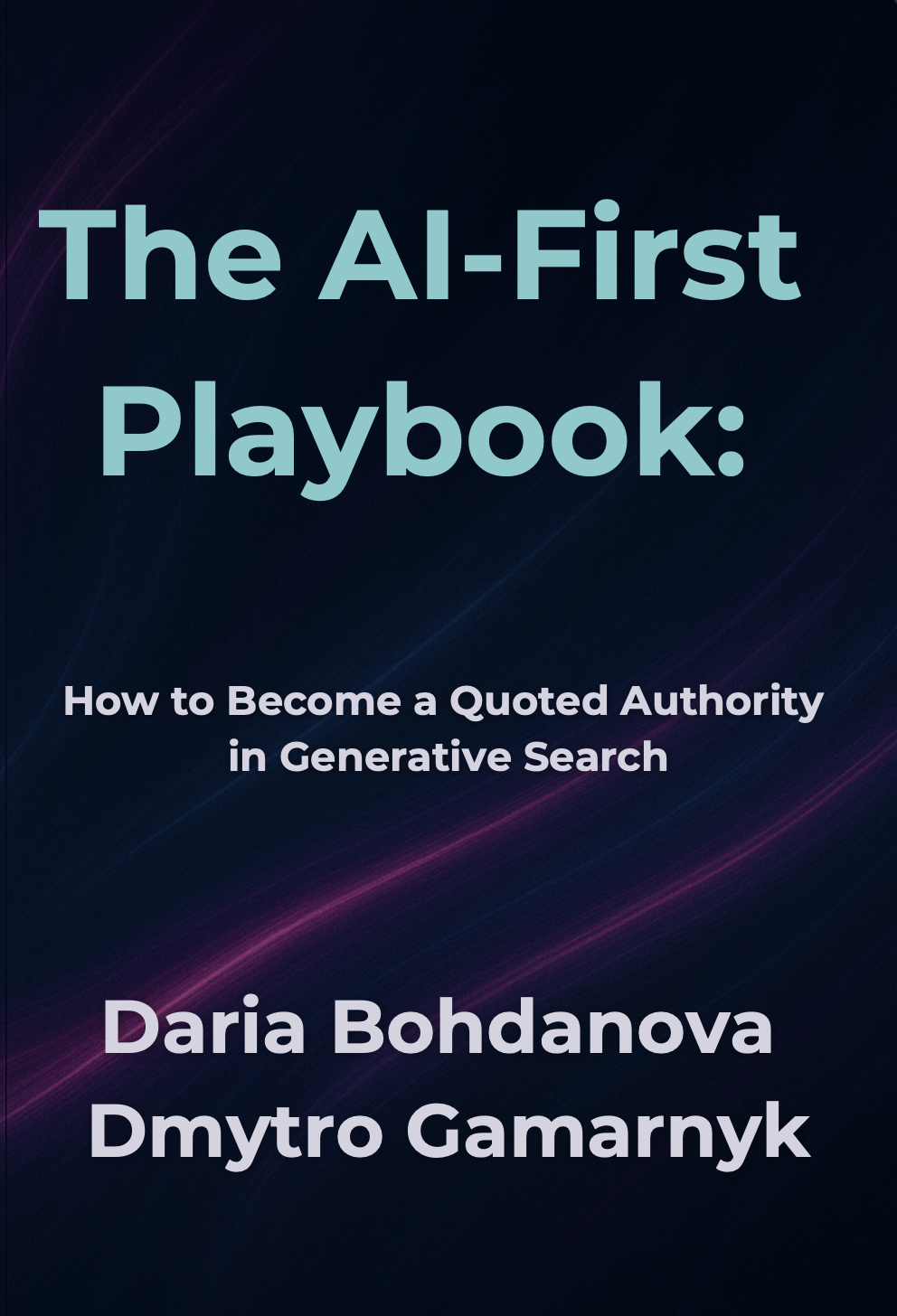
    The AI-First Playbook book cover
    Related Framework

    The AI-First Playbook

    The book extends the same principle beyond documentation: expertise becomes more visible when it is structured clearly enough for people, search engines, and generative systems to interpret without losing meaning.

    View the book on Amazon

    Continue Through the ScriptWise Knowledge Hub

    Frequently Asked Questions

    Should documentation be written differently for AI?

    The source should still be written for real users, but with stronger structure, explicit context, stable terminology, and retrievable sections. Those qualities improve both human usability and machine interpretation.

    Can generated API reference replace a technical writer?

    No. Generated reference describes the contract. A technical writer connects that contract to tasks, concepts, examples, edge cases, migration paths, and user decisions.

    What is the best format for product documentation?

    There is no universal format. The right system depends on product complexity, audience, contribution model, versioning, reuse, localization, and publishing requirements.

    How does documentation reduce support costs?

    It reduces avoidable uncertainty before escalation, improves self-service, shortens troubleshooting, and gives support teams a stable source for consistent answers.

    What makes documentation senior-level work?

    Senior work includes product discovery, architecture, governance, stakeholder alignment, tooling decisions, release integration, measurement, and risk management—not only polished prose.

    Sources and Further Reading

    1. OpenAPI Initiative: OpenAPI Specification 3.2.0.
    2. Microsoft Writing Style Guide: Reference documentation.
    3. GitHub Docs: Best practices for documentation.
    4. Anthropic: Citations in Claude.
    5. Anthropic: Web search tool.
    6. Google Search Central: AI features and your website.
    About the author: Daria Bohdanova is a senior technical and product writer specializing in documentation strategy, product communication, AI-search visibility, and knowledge architecture. She transforms complex systems into governed content ecosystems that help users complete tasks, help teams maintain shared knowledge, and help AI platforms interpret products more accurately.
  • Onboarding Is Documentation in Disguise

    Documentation Strategy · Product Writing

    Onboarding is usually treated as a sequence of welcome screens. In reality, it is the first operational layer of product documentation: compressed, contextual, and delivered at the exact moment a user needs to act.

    When onboarding fails, the problem is rarely a missing tooltip. It is usually a gap between what the product knows, what the user knows, and what the interface expects them to do next.

    By Daria BohdanovaDocumentation Strategy · Product Communication · Knowledge ArchitectureScriptWise Premium Cornerstone ArticleApprox. 1,700 words

    The Core Idea

    Documentation does not begin in the help center. It begins the first time a product asks a user to understand a concept, make a choice, configure a workflow, or trust an unfamiliar system.

    Onboarding Is a Knowledge Transfer System

    A new user arrives with incomplete context. They may understand the problem they want to solve, but not the product’s language, hierarchy, permissions, data model, or operating logic. Onboarding closes that knowledge gap.

    This makes onboarding structurally similar to documentation. Both must identify the audience, predict questions, sequence information, define terminology, expose dependencies, and help a person complete a task without unnecessary uncertainty.

    The difference is delivery. Traditional documentation is usually searchable and user-initiated. Onboarding is embedded and product-initiated. It must teach without interrupting, reveal information without overwhelming, and create progress before the user has learned enough to navigate independently.

    Onboarding is documentation under extreme constraints: less space, less attention, and less tolerance for abstraction.
    01Unknown Product
    02Guided Context
    03First Action
    04First Value
    05Independent Use

    Bad Onboarding Explains the Interface. Good Onboarding Builds Capability.

    Feature tours often describe what is visible: “This is your dashboard.” “Click here to create a project.” “Use this menu to manage settings.” The product narrates its own layout instead of helping the user achieve something meaningful.

    Interface tourFeature-centered

    Welcome to your dashboard

    Here you can access projects, reports, settings, integrations, and team management.

    NextSkip tour
    Guided outcomeUser-centered

    Publish your first project

    Add the essential details now. You can invite teammates and configure advanced settings later.

    Name the project
    Choose who can view it
    Publish a working version
    Create projectSee an example

    The stronger version does not attempt to teach the whole product. It teaches the smallest coherent workflow that produces value. That is documentation architecture, not decorative microcopy.

    The Documentation Layers Hidden Inside Onboarding

    01

    Conceptual documentation

    What is a workspace, project, environment, collection, or role—and why does the concept exist?

    02

    Procedural documentation

    Which actions must happen, in what order, and with which prerequisites?

    03

    Reference documentation

    What do fields, permissions, settings, limits, and system states mean?

    04

    Troubleshooting

    What can fail, what is preserved, and how can the user recover without losing work?

    These layers already exist in mature documentation systems. Onboarding simply compresses and distributes them across the user journey.

    Progressive Disclosure Is Editorial Architecture

    Progressive disclosure is often discussed as an interface pattern, but it is equally a content decision. Someone must determine which information belongs now, which belongs later, and which should remain available on demand.

    That requires more than shortening text. It requires understanding user maturity. A first-time user needs a safe path to first value. An intermediate user needs confirmation and pattern recognition. An advanced user needs control, exceptions, and reference detail.

    User momentDocumentation needBest delivery
    Before the first actionPurpose, prerequisites, expected resultSetup screen or contextual introduction
    During configurationDefinitions, examples, constraintsInline guidance and field-level help
    After completionConfirmation, next step, reversibilitySuccess state or activity summary
    When something failsDiagnosis, preserved work, recoveryActionable error and linked help
    When complexity increasesAdvanced concepts and edge casesSearchable documentation

    The ScriptWise Embedded Documentation Model

    A strong onboarding system does not force every answer into the interface. It creates a connected information path from immediate guidance to deeper knowledge.

    01

    Orient

    Explain where the user is, what the current step accomplishes, and what result to expect.

    02

    Act

    Provide the minimum information required to complete one meaningful action safely.

    03

    Confirm

    Show what changed, what the system did, and what remains under the user’s control.

    04

    Extend

    Offer contextual access to examples, explanations, and advanced options without blocking progress.

    05

    Return

    Make guidance discoverable after onboarding so knowledge is not trapped in a one-time tour.

    Onboarding Should Not Become a Documentation Dump

    The claim that onboarding is documentation in disguise does not mean every product needs more screens, more tooltips, or longer explanations. It means onboarding must be governed with the same discipline as documentation.

    Weak teams respond to confusion by adding another message. Strong teams investigate whether the concept, workflow, terminology, or product behavior is causing the confusion.

    • If users repeatedly skip a tooltip, the information may be mistimed.
    • If a field needs a paragraph of explanation, the field or data model may be unclear.
    • If onboarding contradicts the help center, the organization has a governance problem.
    • If users cannot return to guidance, the product has created disposable knowledge.
    • If every user receives the same tour, the system ignores role, intent, and experience level.

    The Handoff Between Product and Documentation

    Onboarding and documentation should not be written as separate universes. The same terminology, concepts, examples, and task models should move across the interface, help center, release notes, support content, and AI-assisted help.

    This is where technical writing becomes product infrastructure. A documentation strategist can identify the canonical concept, define its language, map its lifecycle, and decide how much of that knowledge belongs in the product at each stage.

    The product then becomes easier to learn because users encounter one coherent system rather than fragments authored by different departments.

    How to Measure Onboarding as Documentation

    Completion rate alone is not enough. Users can complete a tour without understanding the product. Strong measurement asks whether the transferred knowledge supports later behavior.

    • Time to first meaningful value
    • Successful completion of the first core workflow
    • Repeated errors during setup or configuration
    • Return visits to the same help content
    • Support requests caused by terminology or missing context
    • Feature use after the guided experience ends
    • Ability to repeat the task without assistance

    The last measure is especially important. Documentation succeeds when the user becomes less dependent on it. Onboarding succeeds for the same reason.

    Why This Matters for AI-Ready Products

    As products add conversational assistants and generative help, onboarding content becomes part of the source knowledge those systems rely on. Inconsistent product language creates inconsistent AI answers. Missing concepts create hallucinated bridges. One-time tours create knowledge that cannot be retrieved later.

    A structured onboarding system therefore benefits both humans and machines. Canonical terminology, explicit relationships, reusable explanations, and clear task sequences can support interface guidance, documentation search, support automation, and AI retrieval from the same knowledge architecture.

    Onboarding is no longer only the first five minutes of product use. It is the first visible expression of how the organization manages knowledge.

    Continue Through the ScriptWise Knowledge Hub

    Frequently Asked Questions

    Is onboarding the same as a product tour?

    No. A product tour is one possible format. Onboarding is the wider process through which users gain enough knowledge and confidence to achieve value independently.

    Should onboarding replace documentation?

    No. Onboarding should deliver immediate, contextual guidance and connect users to deeper, searchable documentation when the task requires more detail.

    Why do users skip onboarding screens?

    Often because the content arrives before it is relevant, describes interface features instead of user goals, or demands attention without producing immediate value.

    Who should write onboarding content?

    The strongest work is cross-functional. Product writers or technical writers can lead the content architecture while collaborating with design, product, engineering, research, support, and subject-matter experts.

    How does onboarding support AI-powered help?

    When onboarding uses canonical terminology and reusable explanations, the same content can strengthen documentation search, retrieval systems, support automation, and conversational assistance.

    Sources and Further Reading

    1. Nielsen Norman Group: Onboarding Tutorials vs. Contextual Help.
    2. Nielsen Norman Group: Progressive Disclosure.
    3. Google Material Design: Onboarding.
    4. GOV.UK Design System: Help Users Start Using a Service.
    5. Intercom: A Content-First Approach to Product Onboarding.
    About the author: Daria Bohdanova is a senior technical and product writer working at the intersection of documentation strategy, product communication, behavioral psychology, knowledge architecture, and AI-search visibility. She helps teams turn complex product logic into clear systems that people can learn, use, and trust.
  • Documentation That Reduces Support Tickets

    Documentation Strategy · Personal Essay

    Documentation reduces support tickets when it feels less like a database of answers and more like a knowledgeable person who understands why the user is stuck.

    This is a personal note about what I have learned from writing for real products, watching AI make content faster, and seeing how quickly speed becomes useless when the human context disappears.

    By Daria BohdanovaTechnical Writing · Product Communication · Human-Centered DocumentationScriptWise Personal NarrativeApprox. 1,500 words

    The short version

    Most support tickets are not created by a lack of information. They are created by a lack of usable information at the moment of uncertainty.

    I keep thinking about the same support ticket

    There is a type of support message I have seen in different forms across different products:

    “I read the documentation, but I still do not know what will happen if I click this.”

    That sentence stays with me because it exposes the real problem. The user was not unwilling to help themselves. The documentation existed. The page was indexed. The headings were correct. The instructions may even have been technically accurate.

    And still, the person had to ask another human.

    Whenever that happens, I do not immediately blame the user or the support team. I look at the distance between the documentation and the actual decision. Somewhere inside that distance, the content stopped being useful.

    That is where my work usually begins.

    The problem is not always missing content

    Companies often respond to support volume by publishing more. Another article. Another FAQ. Another AI-generated explanation of the same feature. The knowledge base grows, but the tickets keep coming.

    I have learned to be suspicious of that pattern. More content can create the appearance of maturity while making the real problem harder to see.

    A person does not open documentation because they want documentation. They open it because something has interrupted progress. They are uncertain, under time pressure, worried about losing work, or trying to avoid a costly mistake.

    If the page answers the system question but not the human question, it fails.

    “Where is the setting?” and “Is it safe to change this setting?” are not the same question.

    What AI-generated documentation often misses

    I use AI in my work. I do not treat it as the enemy. It is excellent at expanding structure, comparing terminology, finding repetition, producing variants, and helping a writer move faster through mechanical work.

    But I have also seen what happens when speed becomes the only standard.

    The result is often fluent, correct-looking, and strangely empty. It explains the feature without understanding the moment. It says “navigate to settings” when the user is afraid of changing permissions. It says “try again” when the person wants to know whether their work was saved. It says “contact support” without explaining what information support will need.

    AI-shaped answerTechnically complete

    How to change workspace ownership

    Go to Settings, select Workspace, choose Ownership, select a new owner, and click Confirm.

    The steps are present. The risk model is absent.
    Human-oriented answerDecision-aware

    Transfer workspace ownership

    The new owner will control billing, members, and deletion settings. Your account will remain an admin unless you remove your own access. Existing projects and files will not move or disappear.

    The user can now understand the consequence before following the steps.

    This is the difference I care about. AI can produce language. A writer must still decide which uncertainty matters.

    Support tickets are often product research in disguise

    I do not see repeated support questions as an inconvenience. I see them as a map of where the product has failed to communicate.

    One ticket may be an exception. Ten similar tickets are a content signal. Fifty are usually a product signal.

    The important work is not simply converting the support reply into a help article. It is asking what the pattern reveals.

    01

    Repeated “how” questions

    The workflow may be hard to discover, poorly named, or spread across too many steps.

    02

    Repeated “what happens if” questions

    The product is failing to communicate consequence, reversibility, or scope.

    03

    Repeated “is this safe” questions

    The interface or documentation is asking for trust without enough explanation.

    04

    Repeated “why did this happen” questions

    The system state is visible to the product but invisible to the user.

    The path from ticket to better documentation

    When I work with a recurring support problem, I follow a simple sequence. It is not glamorous, but it is where documentation begins to create business value.

    01Collect
    02Group
    03Find the fear
    04Rewrite the path
    05Measure again

    I collect the wording users actually use. I group questions by underlying confusion, not by support category. Then I look for the hidden fear or missing mental model. Only after that do I decide whether the answer belongs in the interface, onboarding, documentation, an error state, or the support workflow itself.

    Sometimes the best documentation fix is not a new page. It is one sentence before a destructive action. Sometimes it is a clearer field label. Sometimes it is a troubleshooting article that begins with symptoms instead of internal error codes.

    What I write differently now

    Earlier in my career, I was more likely to judge documentation by completeness. Did the page cover every option? Did the sequence include every step? Was the terminology consistent?

    I still care about those things. But now I ask a different set of questions first.

    • What is the user afraid of losing here?
    • Which consequence is obvious to the product team but invisible to everyone else?
    • What does support explain in conversation that the documentation never says?
    • Which sentence would make the user feel safe enough to continue?
    • Can the person recover without opening another tab or contacting another human?

    Those questions make the writing more specific. They also make it more human.

    Documentation that reduces tickets has a voice

    I do not mean a playful brand voice. I mean the presence of a clear, responsible mind behind the words.

    The user should feel that someone has considered the situation from their side. Someone anticipated the doubt. Someone checked what happens to the data. Someone refused to hide behind a generic “something went wrong.”

    This is what machine-shaped product content often lacks. Not grammar. Not fluency. Responsibility.

    Generic documentationHuman-centered documentation
    Explains the featureExplains the user’s decision
    Lists stepsShows prerequisites, consequences, and recovery
    Uses internal terminologyUses the language users bring to support
    Ends when the task is completeConfirms what changed and what happens next
    Measures page viewsMeasures whether the same confusion returns

    The metric I care about most

    Of course, reduced ticket volume matters. It saves time. It lowers support cost. It helps teams scale.

    But the number alone can be misleading. Tickets can fall because users give up. They can fall because the support form is harder to find. They can fall while frustration rises.

    The metric I care about most is successful independence. Can the user solve the problem, understand the outcome, and continue without feeling abandoned?

    That is what good documentation gives back to the user: not just an answer, but control.

    My rule for AI-assisted documentation

    I am comfortable using AI anywhere it removes mechanical effort. I am not comfortable letting it define the human problem by itself.

    My rule is simple:

    Let AI help produce the draft. Do not let it decide what the user needs to hear.

    The final content should contain evidence of judgment. It should know which detail matters, which fear is reasonable, which promise the system can keep, and where uncertainty must remain visible.

    That is the part of documentation that cannot be automated by sounding human. It has to be human.

    Continue Through the ScriptWise Knowledge Hub

    Frequently Asked Questions

    Can documentation really reduce support tickets?

    Yes, when it addresses the actual source of uncertainty and appears at the right point in the user journey. Publishing more pages without fixing context, terminology, or product behavior is rarely enough.

    Should every repeated support reply become an article?

    No. Some questions should be solved in the interface, onboarding, error state, or product flow. The ticket should first be treated as evidence, not automatically as a content request.

    What is wrong with AI-generated documentation?

    Nothing by default. The risk appears when fluent output replaces investigation. AI can draft and structure, but it may miss consequence, fear, edge cases, and the user’s real decision.

    How do you make documentation feel more human?

    Use the user’s language, explain consequence before steps, acknowledge risk, preserve effort, and show a credible recovery path.

    What should teams measure besides ticket reduction?

    Successful task completion, repeated confusion, recovery success, search refinement, time to resolution, and whether users can continue independently.

    About the author: Daria Bohdanova is a senior technical and product writer working at the intersection of documentation strategy, product communication, behavioral psychology, knowledge architecture, and AI-search visibility. She writes systems that help users understand not only what to do, but what will happen next.